Student help
Student help: your clinical checklist in Pact
How to make your account, upload from your phone, fix a returned upload and order a test, with the screens you will see.
Updated November 2026 · Pact Compliance LLC, Cordova, TN
- Works in your phone's browser
- Every upload is reviewed within 24 hours
- Email reminders 30, 14 and 7 days ahead
This page is for students in college health-science programs that use Pact. Your program's checklist may differ from the sample shown here.
First: make your account
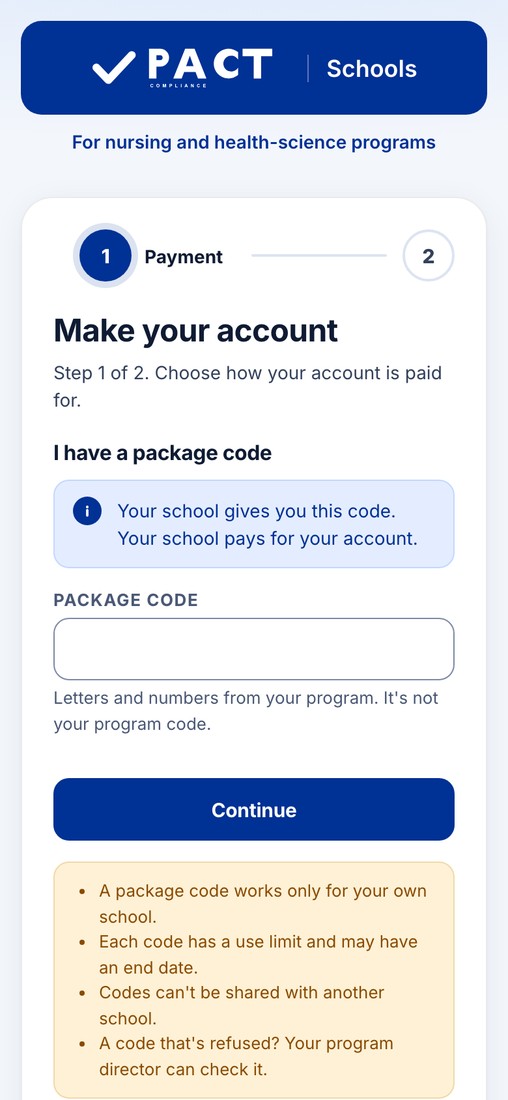
- Open the sign-up page. Scan the QR code on your program's guide, or go to portal.pactcompliance.com/schools/register on your phone or a computer. There is nothing to install.
- Enter your package code, or pay by card. If your program gave you a package code, type it exactly as shown: your school covers your account. No code? Choose to pay by card, enter your program code, and pay $30, one time. There is no renewal fee.
- Enter your details and make your sign-in. Use your legal first and last name, exactly as it appears on your shot records and ID. Add your email, mobile phone and student ID, pick a username and password, then read and sign the release.

1. See your checklist
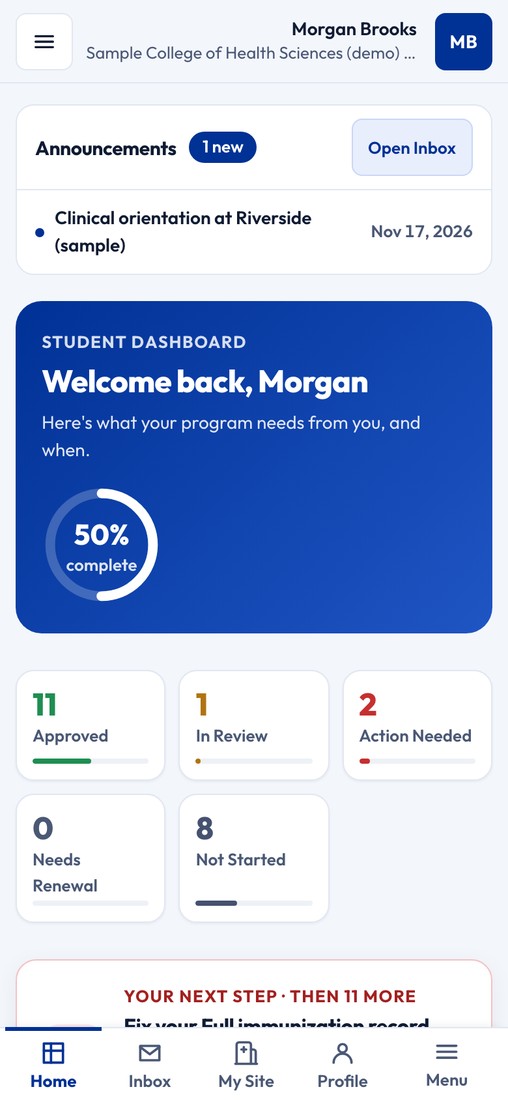
Your dashboard shows how far along you are and the one thing to do next.
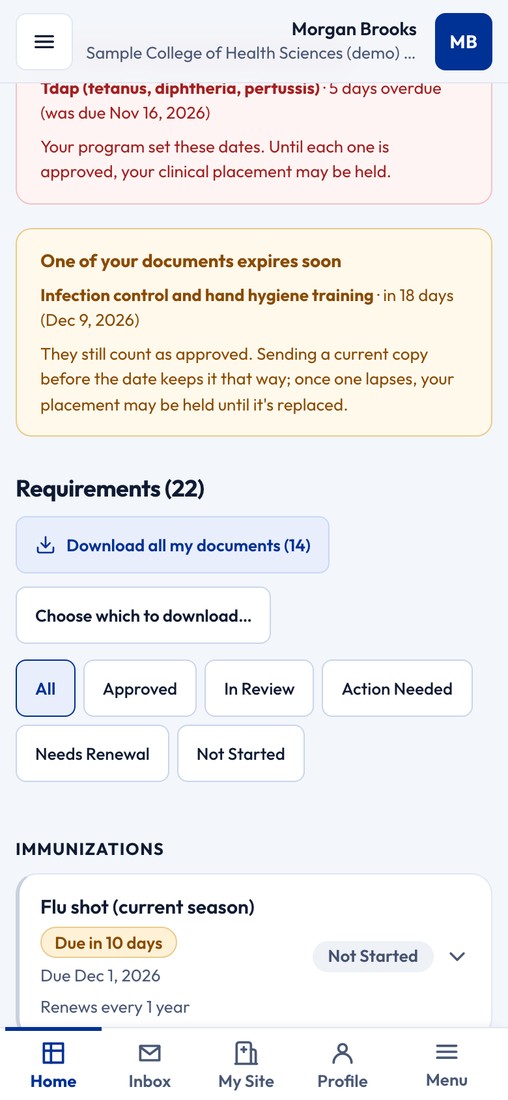
Your checklist lists every requirement your program set, with its status: Approved, In Review, Action Needed, Needs Renewal or Not Started. Each item says what to upload and what is accepted.
2. Scan and upload
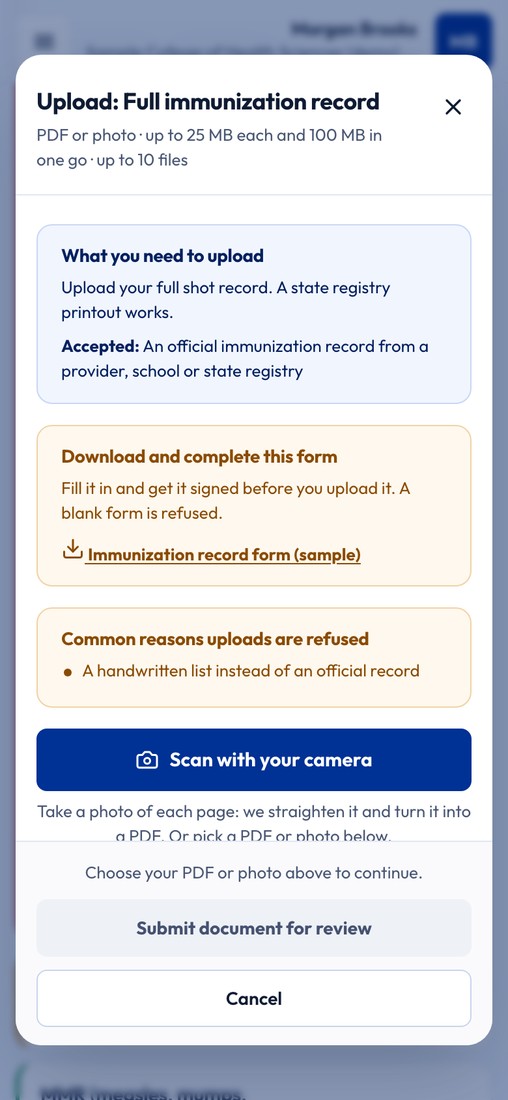
Tap Scan with your camera and take a photo of each page. Pact straightens it and turns it into a PDF. You can also pick a PDF or a photo you already have. Then tap Submit document for review.
- Names must match. Use the same legal name on your account and on every document.
- Get the whole page in the photo. Flat, bright, with all four corners showing.
- One item at a time. Upload each document to its own checklist item.

3. Review, and fixing a returned upload
Every upload is reviewed within 24 hours. If a document was not accepted, your dashboard tells you why in plain words and what to upload instead. Upload the new copy to the same checklist item.

4. Email reminders
Pact emails you 30, 14 and 7 days before anything expires, and before the due dates your program set. An item that expires soon still counts as approved until its date. Sending a current copy before the date keeps it that way.
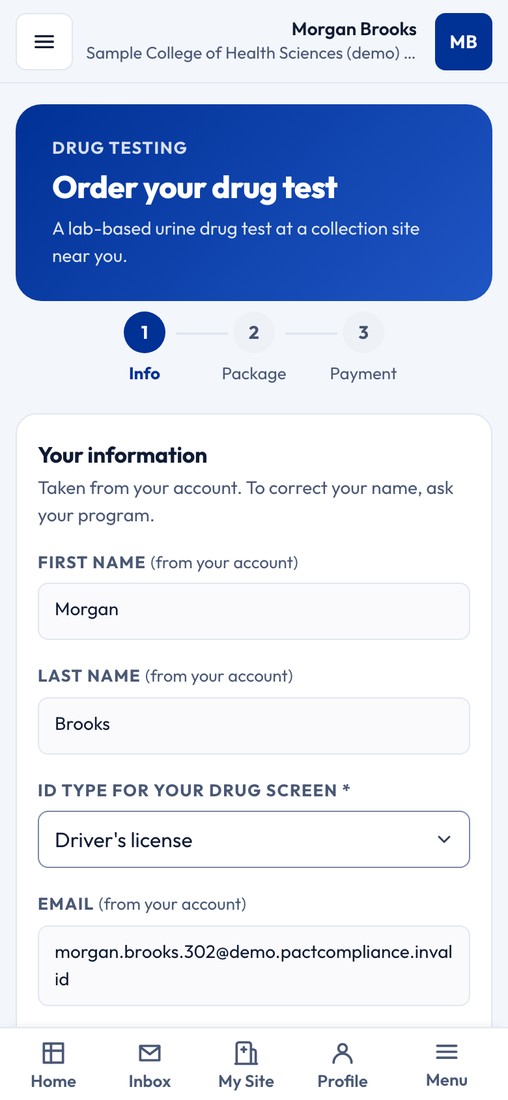
5. Order a drug test or background check
If your program needs one, open that item on your checklist and follow the steps. You see the price before you pay. After you order a drug test, watch your email for where and when to give your sample.
A drug test is $40 or $50 and a background check is $35 or $70, depending on what your program requires. Online orders are final sale.
Does your school not use Pact? You can still order a drug test or a background check online.

6. Download your records
Your documents are yours. On your checklist, tap Download all my documents, or choose which ones to download.
Guides for students
Who to contact
About what your program requires, or a due date: your program director or clinical coordinator. Your director can also reset your sign-in.
About your account, an upload or an order: Pact. Help by chat 24/7, 365 days a year. Talk to a real person 7 days a week during business hours. Call or text 901-666-6970 — students, staff and schools included. Or email support@pactcompliance.com.
Common questions
Do I need to download an app?
No. Pact works in the browser on your phone or computer. You upload with your phone's camera.
What does it cost me?
If your program gave you a package code, your school covers your account. If not, you pay $30 by card, one time. There is no renewal fee. A drug test or background check, if your program needs one, is paid for when you order it.
My upload was sent back. What do I do?
Open the item on your checklist. It tells you why the document could not be used and what to upload instead. Upload the new copy to the same item.
What name should I use?
Your legal first and last name, exactly as it appears on your shot records and ID. Use the same name on your account and on every document.
How will I know when something is about to expire?
Pact emails you 30, 14 and 7 days before an item expires, and before the due dates your program set.
Can I get a refund on a drug test or background check?
No. Online orders are final sale.
The screens show a made-up sample student. For college and post-secondary programs, not K-12.